EN
EN ES
ES DE
DE FR
FR NL
NL IT
IT JA
JA PT
PT PL
PL KO
KO
Bestsellers


ReplaceMagic - Extended Maintenance
Maintenance Details |
||
|---|---|---|
| Standard Maintenance | After ReplaceMagic purchase you are entitled to receive all ReplaceMagic versions publish in period of 12 months after purchase date. This includes minor and major changes! | |
| Extended Maintenance | After standard maintenance expired you can buy extended maintenance which will allow next 12 months of free upgrades (all ReplaceMagic versions published during extended maintenance period). | |
Extended Maintenance Price:
- If purchased before standard maintenance expires price is 25% of current license(s) price
- If purchased max. 3 months after standard maintenance expired price is 50% of current license(s) price
- If purchased 3 and more months after standard maintenance expiration there is no discount
If you decide to extend ReplaceMagic maintenance period just send email to support(@)replacemagic.com and based on license that you initially purchased we will calculate final price and send you purchase link.
When you finish purchase process we will send you new license which will enable upgrades for next 12 months.
What Extended Maintenance Covers
- Free upgrades to all new ReplaceMagic versions released during the 12-month maintenance period.
- New file format support as Microsoft updates Office formats.
- SharePoint compatibility updates as Microsoft releases SharePoint Online changes.
- Bug fixes and performance improvements.
- New feature releases included at no additional cost.
Why Maintenance Matters for Document Migration Tools
Microsoft regularly updates Office file formats, SharePoint APIs and authentication protocols. Each change can affect how ReplaceMagic processes documents or connects to SharePoint. Extended Maintenance ensures your tool stays compatible with:
- New Microsoft 365 authentication requirements.
- Updated SharePoint Online API versions.
- New Office document format revisions.
- Windows updates that affect .NET runtime behaviour.
Running an out-of-date version during a large migration project introduces unnecessary risk. Staying on a current, maintained version means any compatibility issue discovered by other customers is already fixed before it can affect your project.
When to Purchase Extended Maintenance
- At the time of your initial license purchase — this is the most cost-effective option (25% of license price).
- Before your current maintenance period expires (still 25% of license price).
- Within three months of expiry (50% of license price).
- When planning a major migration project that spans more than 12 months.
- When your version is significantly out of date and you need current SharePoint Online compatibility.
How to Check Your Current Maintenance Status
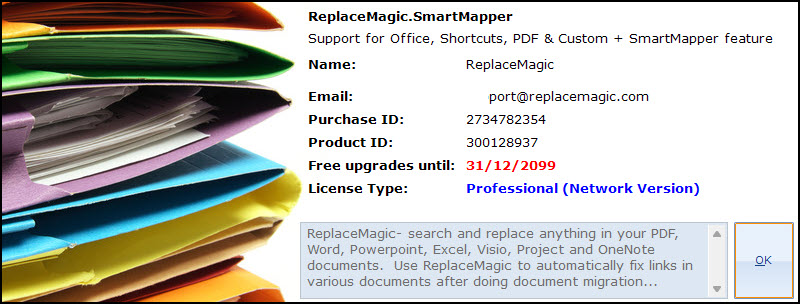
Open ReplaceMagic → Help → About ReplaceMagic. The About screen shows your current version and maintenance expiry date. If your maintenance has expired you can still use ReplaceMagic, but you will not receive new versions until maintenance is renewed.